

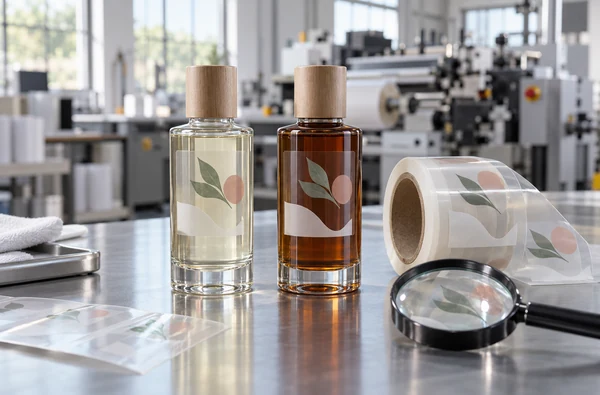
How to Choose a Screen Printing Machine for Clear Labels ?
Start with the label, not the machine brochure. Specify the clear film construction and count every separately screen-printed layer, including white and any clear finish. Then test registration, UV cure, roll handling, and the label on its final container. Use the actual face film, adhesive, liner, inks, and artwork throughout the trial.
For roll-fed work, Winshol lists the single-station WL-350D UV, two-station WL-350S, and three-station WL-350-3C. Their catalogue dimensions help narrow the equipment choice. They do not establish that a particular clear film, ink, or label design will pass your acceptance tests.
Define the clear-label construction first
Clear labels can be built from different films and laminates. A specified clear PP or PET face is only one part of the job. Its coating, adhesive, and release liner also affect printing and the appearance after application. Avery Dennison’s film-label overview distinguishes film constructions and topcoats for printability and finished appearance; its clear-on-clear range includes high-clarity face films and PET liners. Request the exact stock designation instead of ordering against a generic “clear film” description.
Send a sample roll that matches production stock. Record which side receives the ink, whether the face is topcoated or print-treated, and whether it is supplied as a pressure-sensitive label laminate. If the artwork will be printed on the reverse side or combined with another process, draw that construction separately. The printing and viewing sequence changes with the side of the film being printed.
| Item to specify | Why the machine supplier needs it |
|---|---|
| Face film and surface treatment | Ink adhesion and print definition depend on the actual print surface. |
| Adhesive and liner | These determine the supplied web construction and can affect converting and applied clarity. |
| Web width, roll diameter, and core | The complete reel must fit the proposed unwinding and rewinding arrangement. |
| Label pitch, artwork size, and registration marks | The print must fit within the machine’s print area and feed length with usable margins. |
| Final container | White coverage and transparency must be judged against the real bottle or package. |
| Use conditions | Handling, moisture, product contact, and storage requirements determine what the trial must test. |
A reel may look clean on its liner and still show haze, visible edges, or trapped air on a bottle. Include applied labels in the approval sample.
Decide where white ink is needed
A clear window lets the package show through. That same transparency can make a colored graphic look weak on a dark or filled bottle. Mark the areas that need white backing and the areas that should stay clear.
The white may be a solid underprint behind colors, a standalone white graphic, or a separate pass in a larger printing sequence. Gallus shows a transparent label with screen-printed white lettering and a white background for other printed colors. That is an application example from a different press system, not a specified opacity result for a Winshol machine.
Judge white on the filled container under agreed lighting, including its light and dark areas. If the package color shows through where it should not, review the ink, screen, deposit, and cure with the ink supplier. An extra white deposit may change the number of operations and the cure requirement. Do not assume that “opaque white” in an ink name meets your brand’s visual standard.
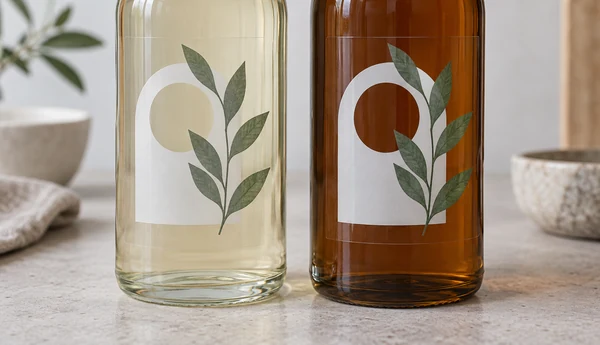
Prevent a white halo around colored artwork
Where white sits beneath a colored image, the edges need a defined relationship. White that extends beyond the color can appear as a pale outline. White that ends too far inside it can leave an unbacked edge. Ask the designer to identify the intended underprint inset or overlap in the production artwork, and specify how the supplier will measure it on the press sample.
Check small text, narrow borders, curved edges, and clear windows. They expose registration errors sooner than a large filled block. Approve a sample at production size; a scaled-down screen preview hides the edge conditions that matter on a clear label.
Count the operations in the label design
Count each layer that needs its own screen. One spot color plus a white underprint means two operations; a separately printed clear coating makes three. Confirm the order of those layers with the ink and material suppliers.
| Example construction | Screen-printing operations to discuss | Possible starting comparison |
|---|---|---|
| White logo on clear film | One white operation | WL-350D UV single-station route |
| White underprint plus one spot color | Two operations | WL-350S two-station route, or a demonstrated return-pass procedure |
| White, one spot color, and clear finish | Three operations | WL-350-3C three-station route, subject to ink and coating approval |
| White plus two colors and a clear finish | Four operations | A documented additional pass, downstream process, or different line configuration |
Other printing processes may supply part of the label. List those stages separately and show where the screen print must register to an existing image. If a single-station machine will print several layers in separate passes, ask how the cured web is rewound, reloaded, and aligned for each return pass. Measure accepted output after the complete label is finished.
Our single-color versus multicolor label guide explains how to compare separate passes with a coordinated line. For this clear-label job, put white and any finish in the layer count even if the artwork has only one visible color.
Verify format, web control, and registration
Start with the print repeat and all required margins. A maximum web width is not the same as the usable print width. In the three models below, the listed maximum print area is 330 × 450 mm even though one model has a wider listed web limit. Check registration marks, edge margins, and the chosen layout against the complete format. The web width versus print area guide gives a fuller explanation.
On clear film, a shifted white edge or clear window is easy to see. Mark those points on the artwork. Inspect the first stable sample, samples along the roll, and the first samples after a stop and restart. Agree on measurement points and pass/fail limits before the trial. The catalogue does not state a numerical registration guarantee for these models.
Web transport deserves the same attention. Confirm the reel diameter and core, liner stability, print-side orientation, and the condition of the web at the rewinder. A good sample at the print station is insufficient if the finished roll telescopes, scratches, or blocks during storage. Include normal roll handling in the demonstration.
Match UV curing to the ink and film
All three compared configurations list UV drying units, but a dryer count alone cannot establish cure. Specify the exact ink series and white formulation, then have the ink supplier review the print surface, screen deposit, lamp type, exposure, and test method. Test each layer after it has cooled and again after subsequent printing or winding.
Nazdar’s 2800 Series technical data sheet, revision 10 calls for trials using the particular ink, substrate, screen, press, and curing conditions. It warns that insufficient cure can harm adhesion and resistance to blocking, while excessive cure can affect flexibility and the adhesion of later layers. The sheet lists specific PVC and treated PET materials for that ink series; it does not qualify every clear PP or PET label stock or any Winshol configuration.
Inspect the cooled print using the ink supplier’s adhesion and surface checks. Measure any film movement that affects later registration. Examine the rewound roll immediately and after the agreed storage interval. A clear label that looks acceptable immediately after UV exposure may still fail when the layers contact each other in a reel.
If the chosen film is sensitive to heat, discuss the full curing and web path. Winshol also lists the WL-350D-YT as a single-color integrated line with a water-cooled, two-lamp UV unit. Water cooling is a listed equipment feature; film stability and cure still require a run with the specified material. The UV curing versus hot-air drying guide may help frame that process discussion.
Compare the Winshol UV models
These are catalogue limits and listed equipment, not tested results for a particular clear-label job. Check the final quotation for the whole installation, including reel handling, auxiliaries, access, and electrical supply.
| Catalogue item | WL-350D UV | WL-350S | WL-350-3C |
|---|---|---|---|
| Screen-printing stations | One | Two | Three |
| UV units | One unit, two lamps | Two units, two lamps each | Three units, two lamps each |
| Maximum print area | 330 × 450 mm | 330 × 450 mm | 330 × 450 mm |
| Maximum web width | 350 mm | 350 mm | 450 mm, as listed |
| Maximum feed length | 450 mm | 450 mm | 450 mm |
| Screen frame | 550 × 700 mm | 550 × 700 mm | 550 × 600 mm |
| Listed dimensions, L × W × H | Main machine: 2500 × 1100 × 1700 mm | Main machine: 4300 × 1100 × 1700 mm | Machine: 9500 × 1200 × 1700 mm |
| Main machine supply | 220 V | 220 V | 380 V |
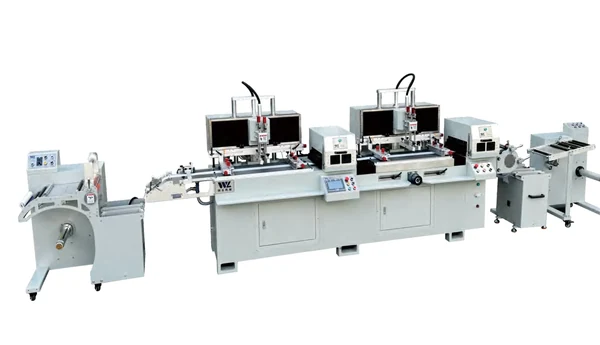
The WL-350D UV is the one-station UV version with unwinding, feeding, UV drying, and rewinding. Specify the UV version in the enquiry because the WL-350D name is also used for other catalogue arrangements. Request the UV unit’s electrical requirement in the quotation.
The WL-350S has two independently controlled print heads and two UV units. Its catalogue lists 220 V for the main machine and 380 V for the UV equipment. Use it as a candidate when the approved construction has two operations that can run in the proposed order.
The WL-350-3C lists guided unwinding, three print stations, three UV units, and rewinding. Its listed web limit is 450 mm; the maximum print area remains 330 × 450 mm. The catalogue lists 380 V for the main machine and UV equipment. Confirm the full line layout and utility schedule with the supplier.
No catalogue value above tells you the accepted output for a clear-label design. Ask for a production-scale trial that includes all printed layers, curing, rewinding, and application.
Approve the printed roll and the applied label
Bring production stock, final artwork, the proposed inks, and the containers to the trial. For a label used on a filled bottle, judge its appearance on a filled bottle. Inspect both the printed roll and the applied label at agreed points in the run.
| Trial point | Record or inspect |
|---|---|
| Before printing | Stock designation, print side, roll format, artwork revision, layer sequence, and agreed acceptance limits. |
| After the first stable setup | White appearance on the target container, color reference, edge registration, clear windows, and initial cure. |
| During the run | Samples from the start, middle, and end; restart samples; any drift or material damage. |
| After winding and storage | Blocking, scratching, roll condition, adhesion, and any change relevant to converting. |
| After application | Clarity, visible edges, bubbles, color over the package, and appearance under the customer’s viewing conditions. |
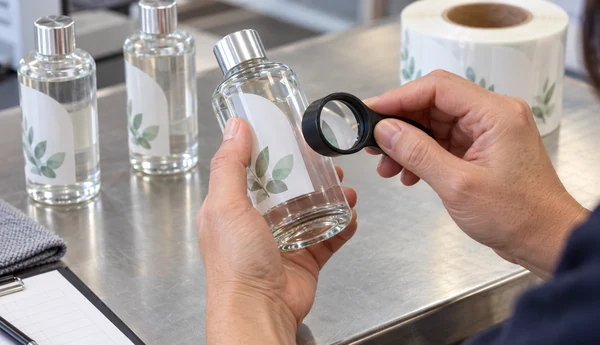
Keep a labelled set of approved samples and record the settings used to make them. If the white ink, film stock, or container changes later, repeat the checks affected by that change. Do not treat a print on white paper as proof of white opacity on a transparent pressure-sensitive label.
What to send when requesting a machine quotation
Send the artwork and layer drawing with the exact film, adhesive, and liner specifications. Add reel dimensions, proposed inks and coatings, typical order lengths, and the container that will carry the label. Add the expected print repeat, whether other processes print on the web, and the acceptance limits for white coverage, registration, cure, and appearance.
Ask the supplier to return a proposed process route for each layer, a drawing of the full line, the electrical and utility requirements, and a trial plan with the output measured as accepted finished labels. The screen printing machine RFQ checklist can help organize the enquiry. A quotation that identifies the actual stock and trial criteria is easier to compare across machine options.
Frequently asked questions
1. Can a screen printing machine print on any clear label film?
No universal film compatibility follows from the machine model. Face material, coating or treatment, ink, and curing conditions must work together. Test the specified production stock and ask the ink supplier to approve the print surface and cure method.
2. Does every clear label need white ink?
No. Use white where the approved design needs an opaque background or standalone white artwork. A clear window may be intentional. Judge the decision on the actual package, including its contents and color.
3. Does a white underprint count as a separate color station?
If white is printed as its own screen layer, it is a separate printing operation. It can occupy one inline station or a documented separate pass. Count it when comparing one-, two-, and three-station routes.
4. How do I avoid a white outline around colored graphics?
Define the white-to-color edge in the artwork, including the intended underprint inset or overlap. Then test registration on the moving web and inspect the applied label at small text, borders, and clear windows.
5. Which Winshol model should I compare for white plus one spot color?
Start with the two-station WL-350S and compare a demonstrated two-pass route on the WL-350D UV if that fits the order. Confirm the layer order, curing, registration, and accepted output with your exact stock and artwork.
6. Is the WL-350-3C print area wider because its web width is 450 mm?
The catalogue lists a 450 mm maximum web width for WL-350-3C, while its maximum print area is 330 × 450 mm. Lay out the image and registration marks against both limits and the 450 mm maximum feed length.
7. How should UV cure be checked on a clear label?
Use the ink supplier’s method on a cooled print, then check adhesion, resistance to damage, later-layer adhesion, and the condition of the wound roll. Agree on the test and acceptance limit for the actual film and ink before the trial.
8. Why inspect the label after it is applied to the container?
The package changes how white and color appear through clear film. Application can also reveal visible edges, haze, or trapped air that were difficult to judge on the liner. Approve the label on the real container in the expected viewing conditions.
Choose from an approved sample, not a model name
Count the printed layers and check the required format before choosing a line. Then run the specified film and ink through the proposed UV and web path. Compare the WL-350D UV, WL-350S, and WL-350-3C against the same finished-label acceptance criteria.
Send Winshol the artwork, material specification, and sample containers. Request a layer-by-layer route and a trial that ends with a wound roll and applied labels. Use those results to confirm the machine configuration and the acceptance conditions in the quotation.